Add funds to your account
Top up your account credit with Bitcoin or USDT (TRC-20) so renewals pay themselves. Amounts, limits, what credit pays and what happens to an unpaid top-up.
To add funds, open Billing → Add funds, pick an amount from $5 to $1,000, choose Bitcoin or USDT (TRC-20), and pay the invoice it makes. Once the payment confirms, the amount is added to your account credit, and every new invoice (renewals, add-ons, new servers) is paid from that credit first.
What you need
- A confirmed email address. The page tells you to confirm it first if you haven't.
- The owner, an admin or a billing member of the account (see teams).
- Orders open: top-ups are only offered while we take orders.
Add funds
- Open Billing → Add funds.
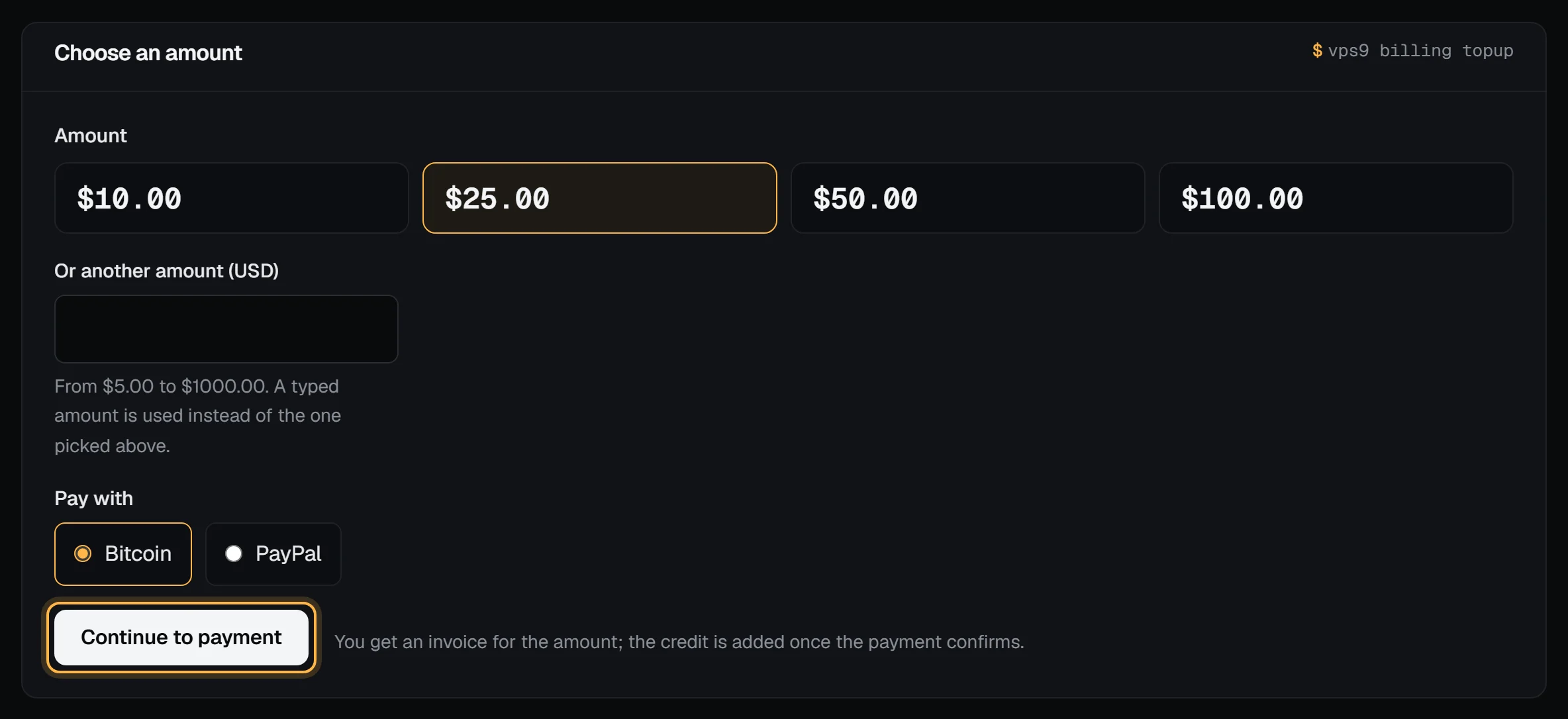
- Under Choose an amount, pick $10, $25, $50 or $100, or type another amount in Or another amount (USD). A typed amount wins over the one picked.
- Under Pay with, choose Bitcoin or USDT (TRC-20). Only the ways to pay that are switched on are listed.
- Choose Continue to payment.
You land on a top-up invoice for the amount, with its checkout ready. Pay it as you would any invoice: Payment methods walks through Bitcoin and USDT (TRC-20).
Check it worked
When the payment confirms, the invoice shows paid, your Account credit on the billing overview goes up by the amount, and we email you a receipt that says the amount was added to your credit. The bell in the panel shows "$25.00 added to your account credit" (or your amount). Credit history gets a Top-up line linked to the invoice.
A Bitcoin payment counts once it confirms on-chain, which can take a while. A USDT payment on Tron usually confirms in under a minute.
What credit pays
- Each new invoice takes what it can from your credit first: renewals, add-on changes and new servers. Whatever is left, if anything, is what you pay.
- Credit that arrives while an invoice is open pays it straight away, oldest first.
- Credit never pays a top-up. That would only move money around.
- Credit pays Rack4 invoices only. It isn't paid out, and it can't be moved to another account.
Limits
| Limit | Value |
|---|---|
| Smallest and largest top-up | $5 to $1,000 |
| Unpaid top-ups at once | 3 |
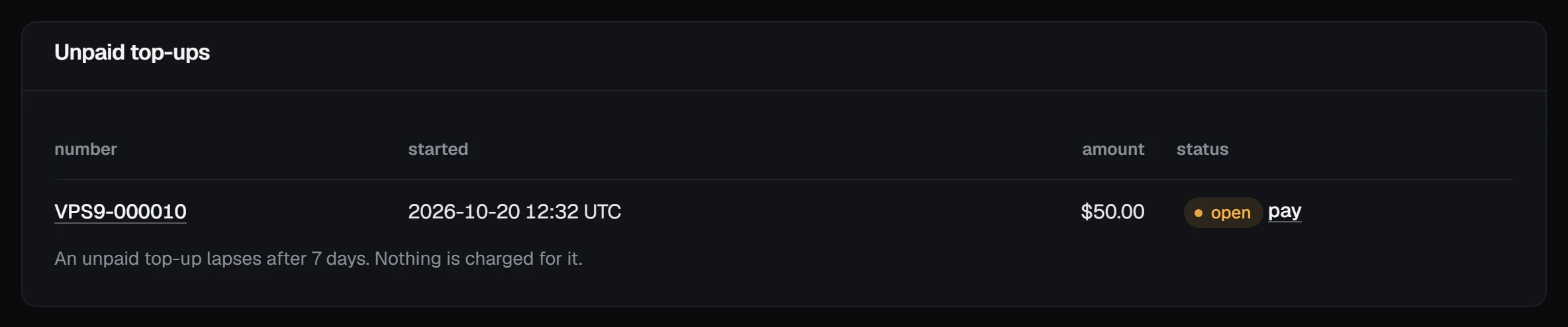
| An unpaid top-up lapses after | 7 days, with nothing charged |
| Add-funds requests | 10 an hour per account |
Unpaid top-ups are listed under Unpaid top-ups on the same page, each with a pay link:
Refunds and reversals
A top-up isn't covered by the money-back guarantee, which is for your first server order. If you think you're owed some of your credit back, open a billing ticket and we'll look at it.
Troubleshooting
- "Confirm your email address first": open the link in the confirmation email, or send a new one from the banner at the top of the panel.
- "Type an amount in dollars, like 25 or 25.50": the typed amount wasn't a dollar amount between $5 and $1,000.
- "You already have 3 unpaid top-ups": pay one of them from the Unpaid top-ups list, or wait for one to lapse.
- "That payment method is not available right now": the top-up invoice was still made. Open it from Unpaid top-ups in a minute and choose how to pay there.
- "Too many tries in a short time": more than 10 add-funds requests in an hour. Wait, then try again.
Next steps
- Your billing overview and upcoming charges
- How account credit works
- Pay for a VPS with Bitcoin
- The API does the same with
POST /api/v1/billing/topups; see the API reference. From a terminal,rack4 billing topup 25makes the invoice and prints its checkout link (rack4 CLI cheat sheet).